Website Contact Form: How to Stop Missing Customer Inquiries

Where are your customer inquiries going right now?
Texts to your personal number, Instagram DMs, chat apps... When messages come in from everywhere, it's easy to miss one. 🥲
And when you finally reply, you have to start by asking, "What's your phone number?" or "Which date works for you?" all over again.
If you've built a website, let's bring your inquiries to one place: your website!
✏️ Edit the Input Fields to Fit Your Business
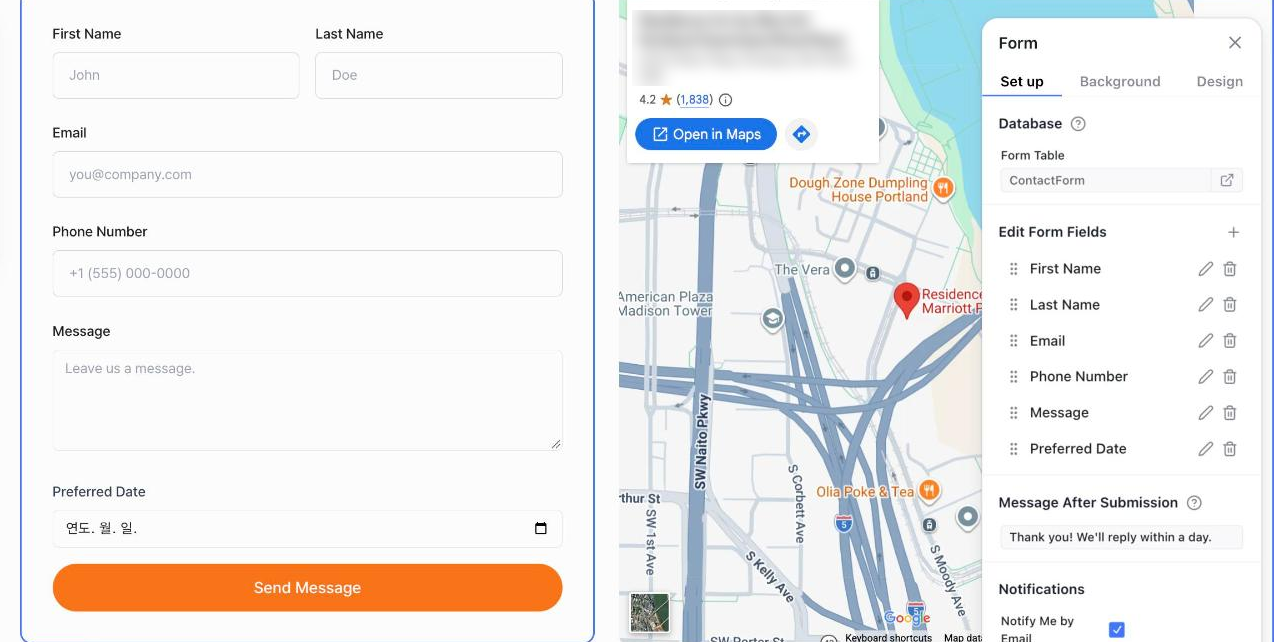
Every business needs details of its own, right? Click the form and a 'Form' panel opens on the right. In [Edit Form Fields], you can add, remove, and edit input fields.
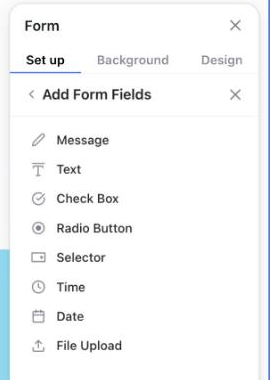
Click + next to [Edit Form Fields] to see the fields you can add: Text, Check Box, Radio Button, Selector, Time, Date, and File Upload.
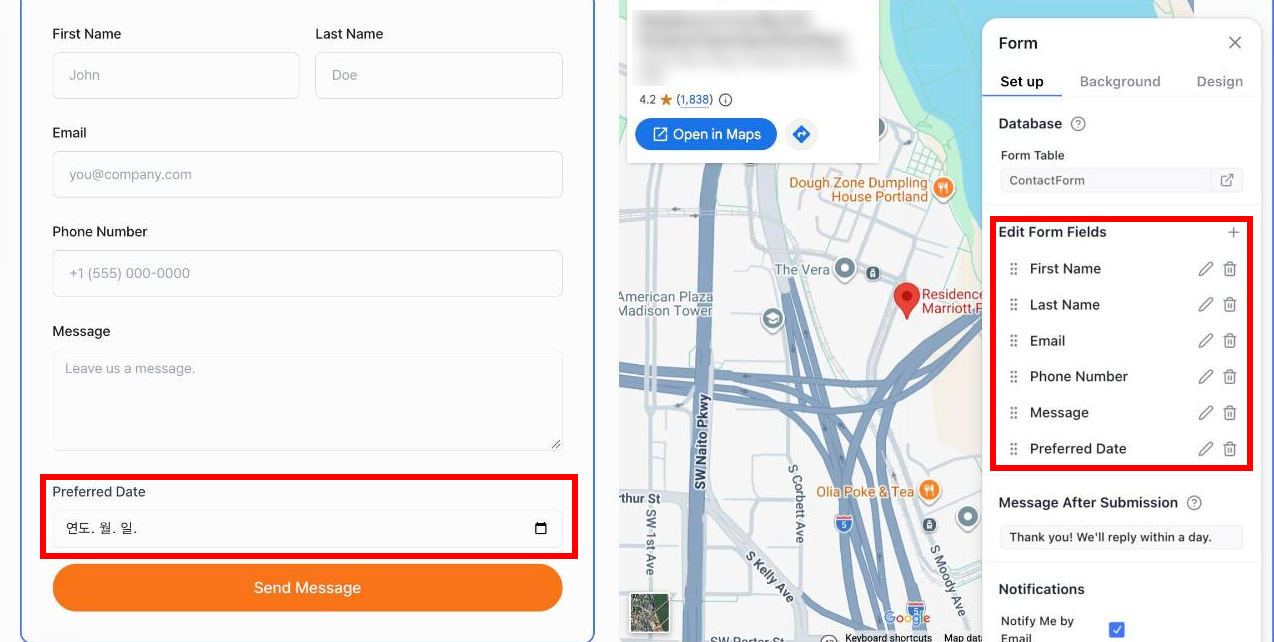
For example, if you take franchise consultation bookings, add a 'Date' field and rename it 'Preferred Date.' Collecting the date up front means you won't have to ask "Which date works for you?" again
🔔 Know the Moment an Inquiry Arrives
An inquiry that sits unread for days is no good. Check [Notify Me by Email] under [Notifications] at the bottom of the same panel, and you'll get an email every time an inquiry comes in.
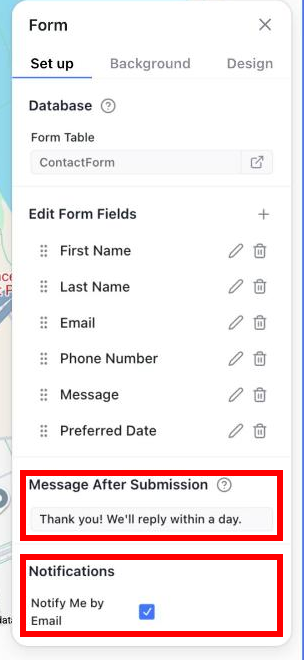
You can also change the message visitors see after they submit. Under [Message After Submission], add something like "Thank you! We'll reply within a day." Telling people when to expect an answer helps them wait with peace of mind. 😊
📂 Manage Your Inquiries in One Place Too
Every inquiry you receive stacks up in [Database]. You no longer have to hunt through texts, email, and DMs every time you look for a past inquiry.
Once you've finished setting up, save, then send a test inquiry from your published website. If the alert email arrives, you're all set!
In the next post, we'll show you how to build a multilingual website that wins over customers abroad.