Just One Click: Give Your Website a Fresh New Layout

Nadoo's Change Layout feature lets you redesign any section of your website in one click, while your text and photos stay in place.
Still running your website exactly as you first built it, months later? Just changing the layout can bring it back to life.
With Change Layout, you don't have to move photos and text around one by one. Just click the design you like.
🎨 What Are Sections and Layouts?
A website is made of blocks stacked on top of each other, each holding a heading, text, and photos. Each block is called a 'section.' How the text and photos are arranged inside a section is its 'layout.'
Change Layout keeps the heading and text in your section and simply rearranges them.
✨ One Click to Change It
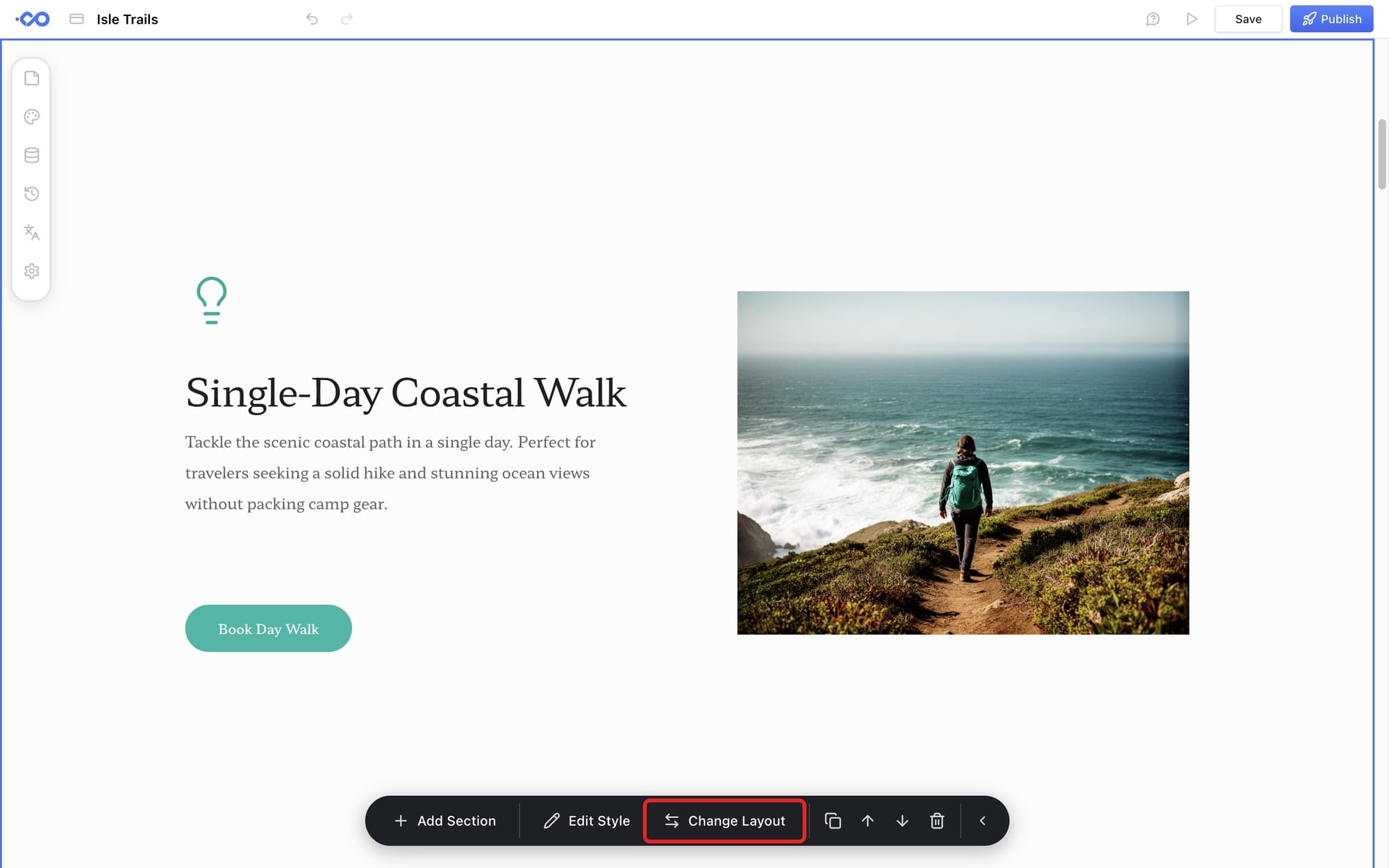
Hover over the section you want to change, and a menu appears at the bottom. Click [Change Layout] to see all the designs available for that section.
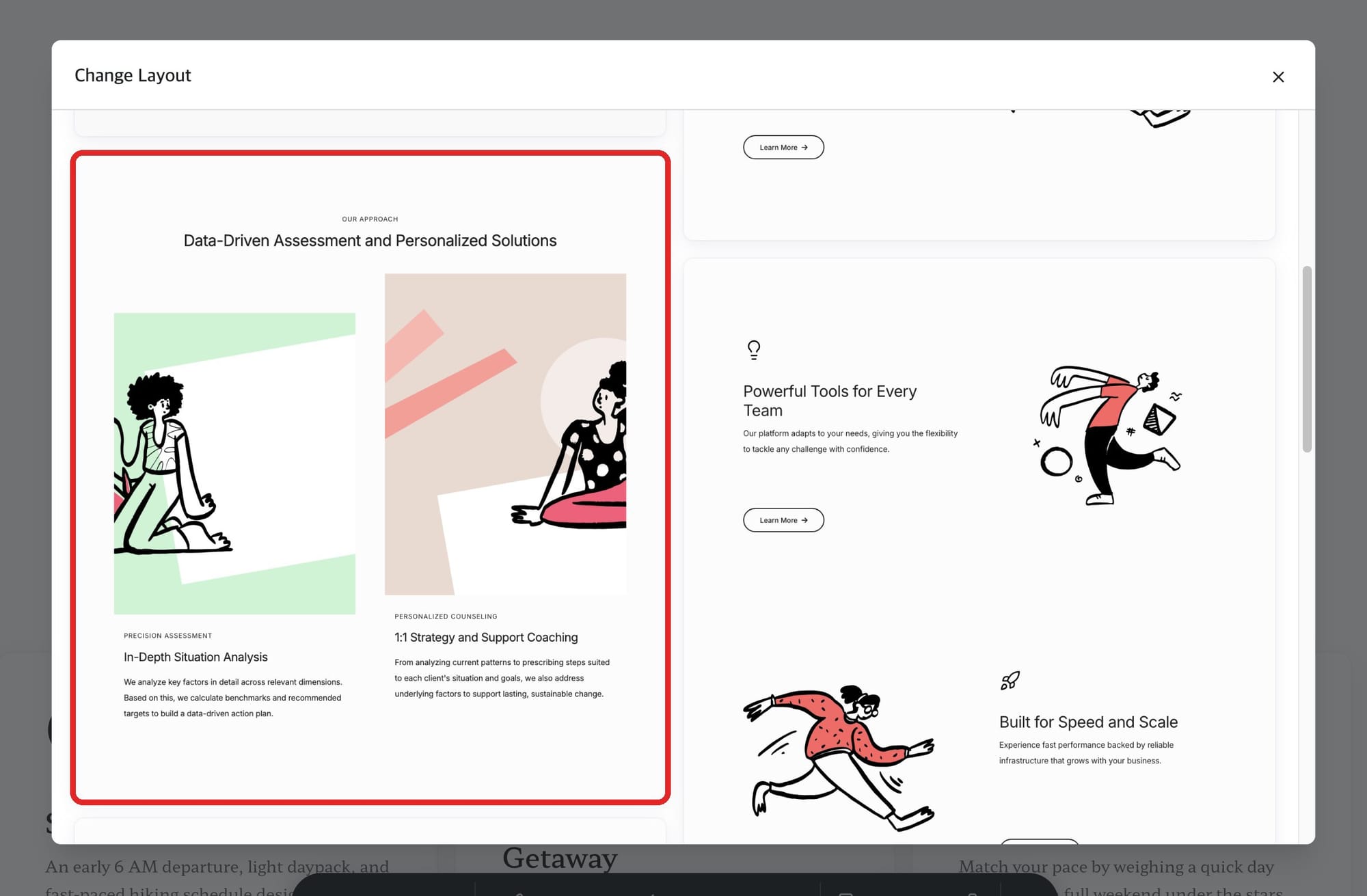
Click a design you like to apply it! I'm going for something more dynamic. Since the new layout is built from your existing content, there's no need to move and edit everything by hand.
Click [Save]. How about that? Your website feels a lot more immersive, right?

💡 More Designs Are on the Way
We'll keep adding new layout designs. Browse them from time to time and keep giving your website a fresh look.
Change just a few sections and your whole website feels different. No design skills needed. Just pick what you like! 😆
In the next post, we'll show you how to receive customer inquiries through your newly polished website!