New to Custom Domains? Here's How to Connect Yours to Nadoo


A custom domain lets your Nadoo website open at your own website address, such as onul.studio. A website address is also called a domain. You connect yours in the editor's settings, then add the records Nadoo shows you at your domain provider.
Domain, DNS… the vocabulary alone is enough to make you put it off, right?
Say you bought onul.studio because you wanted your website to open at an address with your own name. Let's go through, one step at a time, what it takes to open your website at that address.
Think of it as moving house
- The domain (onul.studio) = your new home address. You buy it from a domain provider.
- Your website = the house. It lives on Nadoo.
- The connection details (DNS records) = the change-of-address notice: "When someone comes to this address, send them to my website."
Buying a domain doesn't make your website open there by itself. You also need to tell your domain provider, once, to send visitors to your website.
Before you connect: 3 things to check
- Do you have a domain to use as your website address? You can buy one from any online domain provider. Nadoo doesn't sell domains.
- Is it connected to another website? If you've used the domain elsewhere, disconnect it there first.
- Are you on the Starter plan or above? One custom domain is included, so there's nothing extra to buy. You only need the extra domain add-on if you want to connect two or more.
Connecting takes 3 steps
① Enter your domain
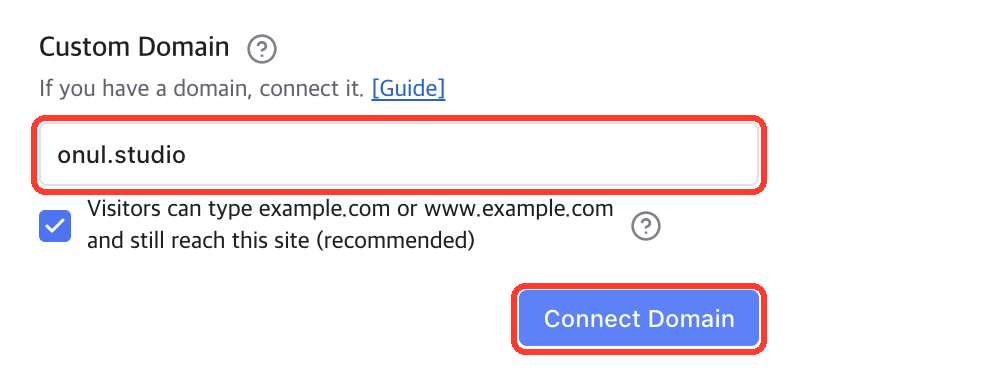
In the editor, open the Settings icon on the left, then the Domain tab. Under Custom Domain, type onul.studio and click Connect Domain. The option "Visitors can type example.com or www.example.com and still reach this site (recommended)" is checked by default.
② Add the connection details
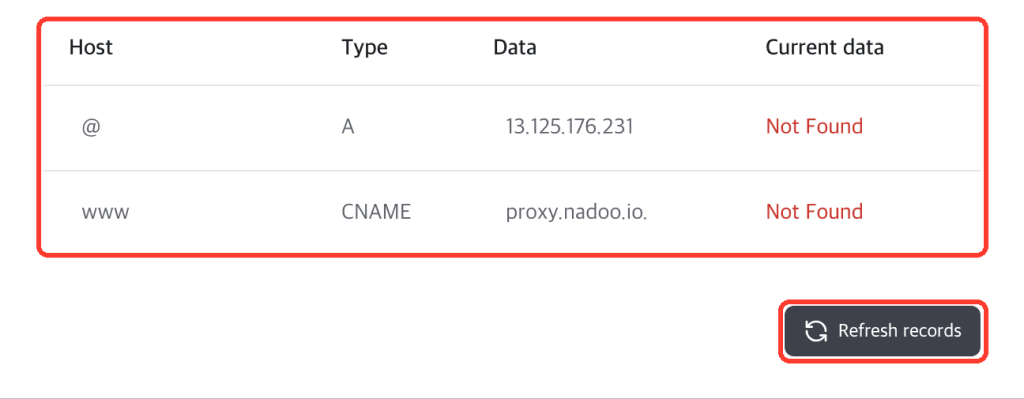
Nadoo shows the connection details you need (host, type, and data). Sign in to your domain provider, open its DNS management (DNS settings) page, and add each row as a record. A host of "@" means onul.studio itself, and "www" means www.onul.studio. Until you add them, the status under Current data reads Not Found.
③ Check the connection
Go back to Nadoo and click Refresh records to check. When it's connected, the status changes to Connected and Nadoo shows "Domain connected successfully." You can now publish your site!
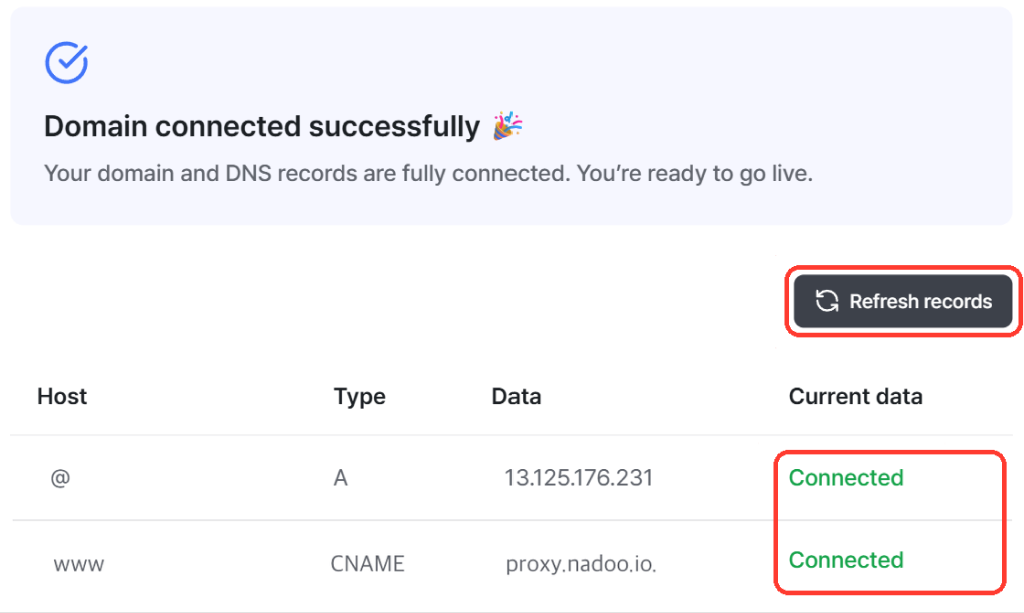
Once it's connected, you can open your website by typing onul.studio into the browser. Add your new website address to your business cards and social profiles, and welcome your customers there!
Who is this for?
- You want your website address to match your name or brand
- Changing your website address felt too technical to get started