How to Create an FAQ Page with AI in One Go

Nadoo's Add Page feature lets you add About, Team, FAQs, and Contact pages to your website in a few clicks. Choose a page type, type in the keywords you want included, and AI creates a page with the text and images already filled in.
Have you been putting off your website because you weren't sure what to write on each page, or which pages you even need? Ta-da! Leave that part to Nadoo.
✨ Pick a Page Type, and AI Fills In the Content
Here are the pages you can add right away:
- About: Introduces your brand, key products, and the value of your service in five sections
- Team: Introduces your team through your identity and philosophy, along with member profiles
- FAQs: Answers the questions customers ask most, before they ask
- Contact: A contact page that comes with an inquiry form
- Blank Page: A page with just the basic layout, for you to fill in yourself
If there's a sentence or keyword you definitely want on the page, type it in the prompt box. AI will work it into the page.
💡 How Do You Add a Page to Your Website?
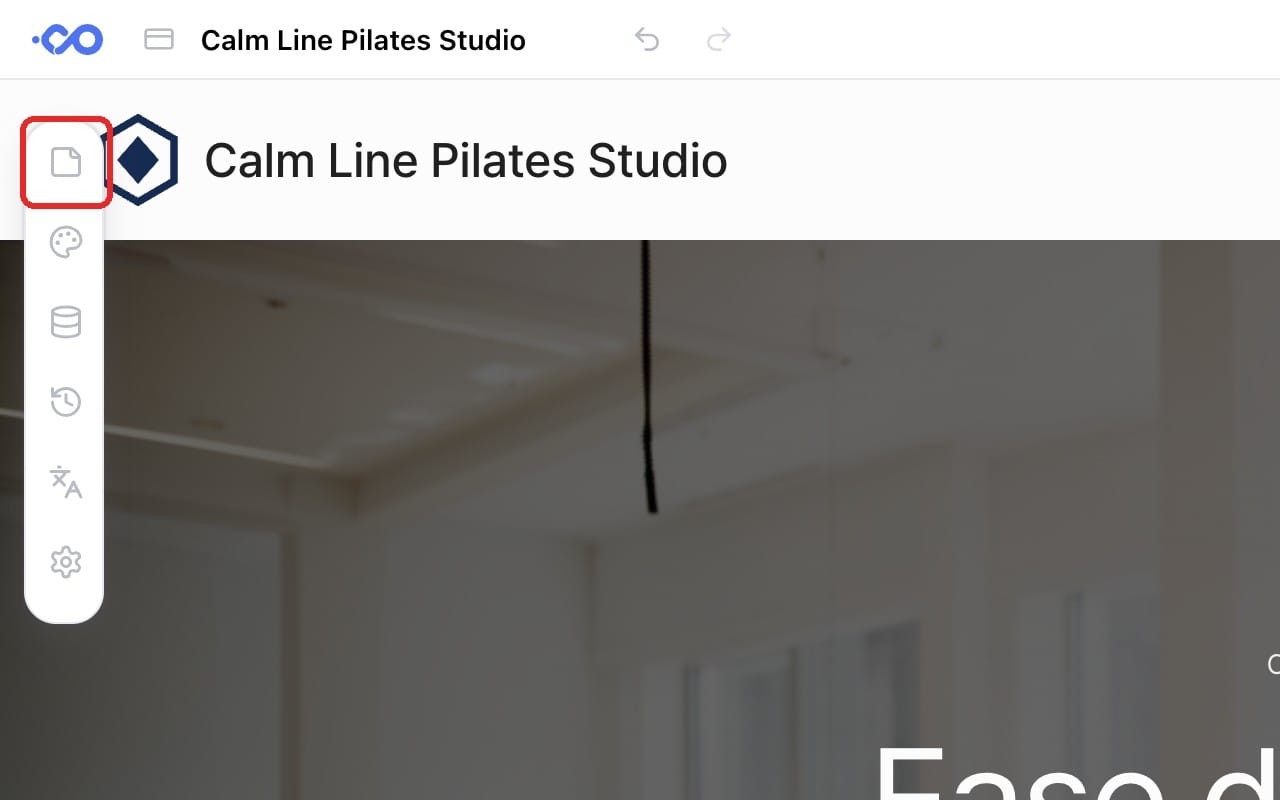
① Click the Pages icon
Click the Pages icon at the top of the toolbar on the left side of the editor.
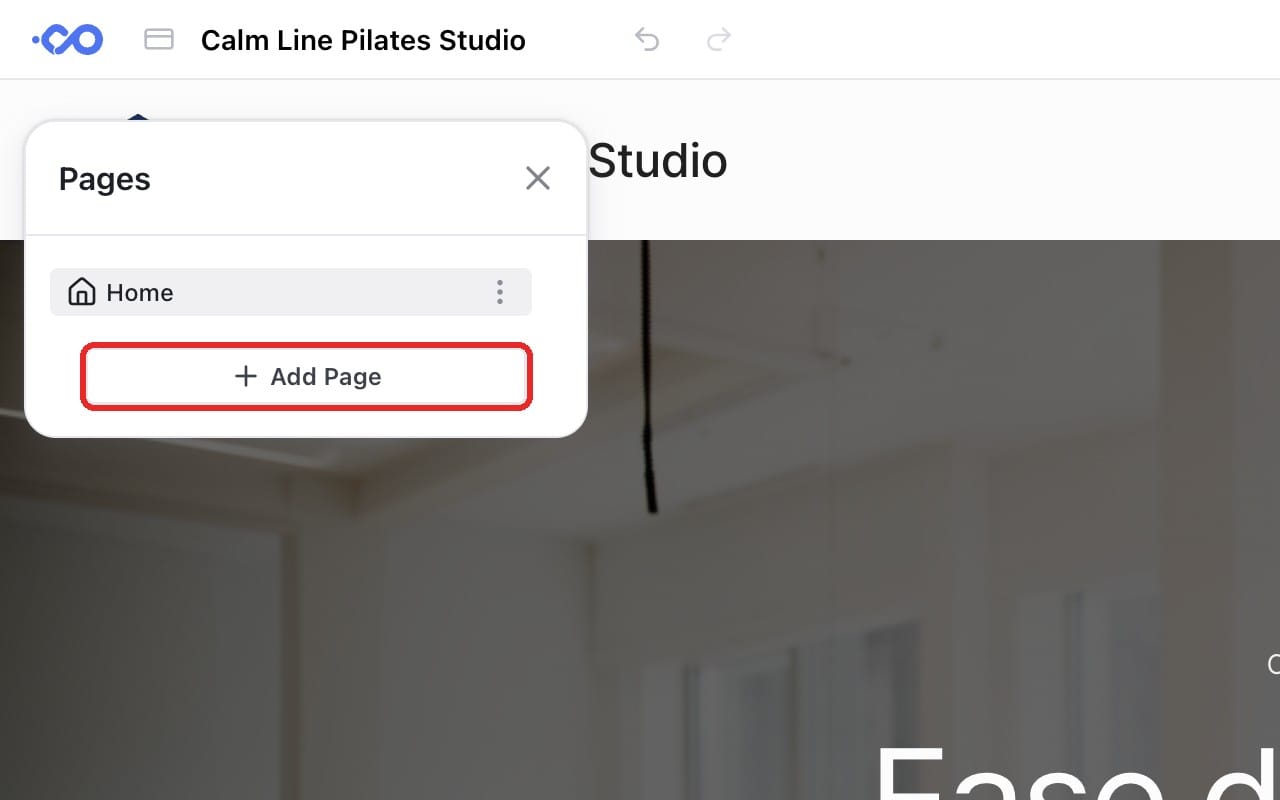
② Add a page
Click the [Add Page] button below the page list.
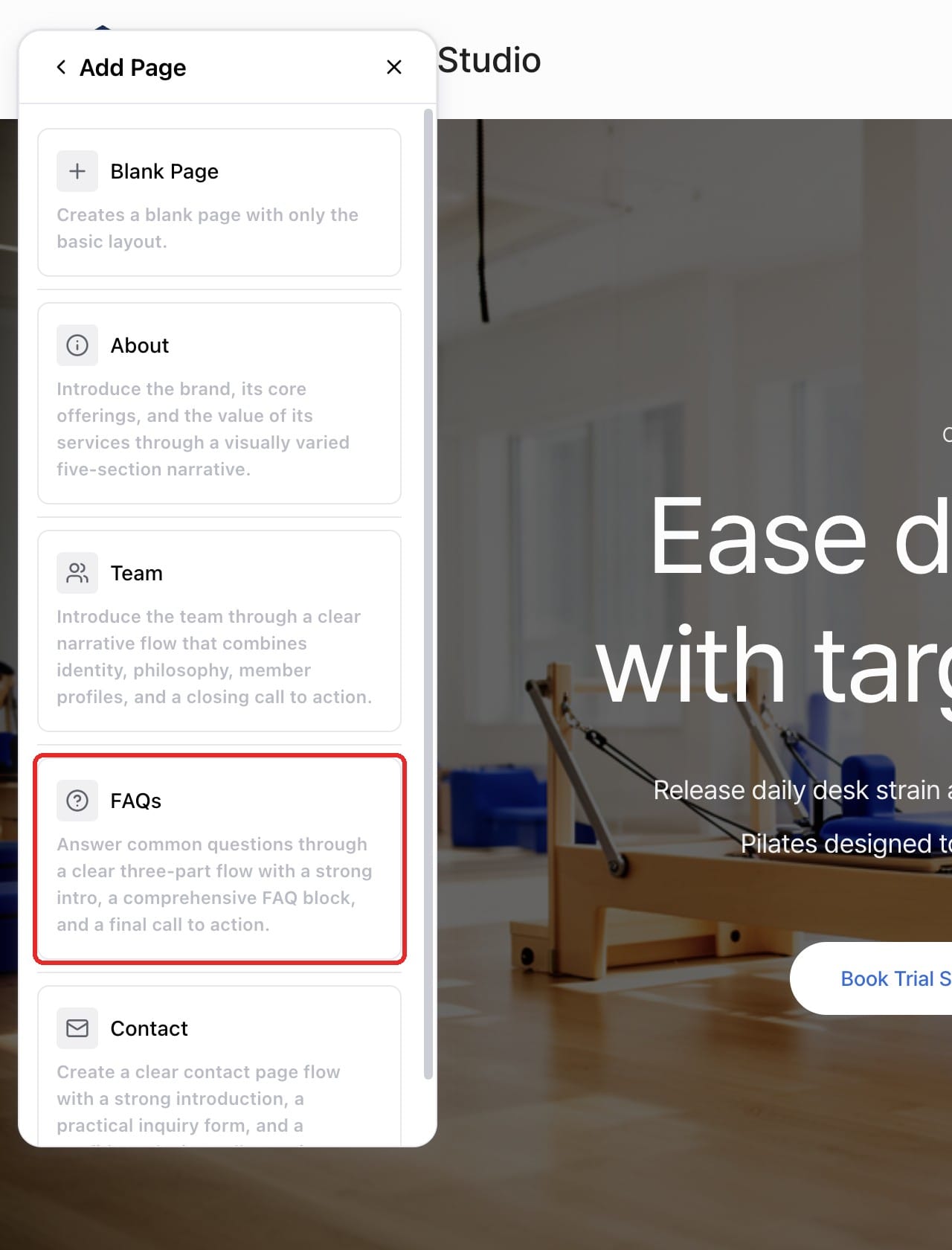
③ Choose a page type
Choose the page type you want. Here, we'll pick FAQs.
④ Enter keywords and create
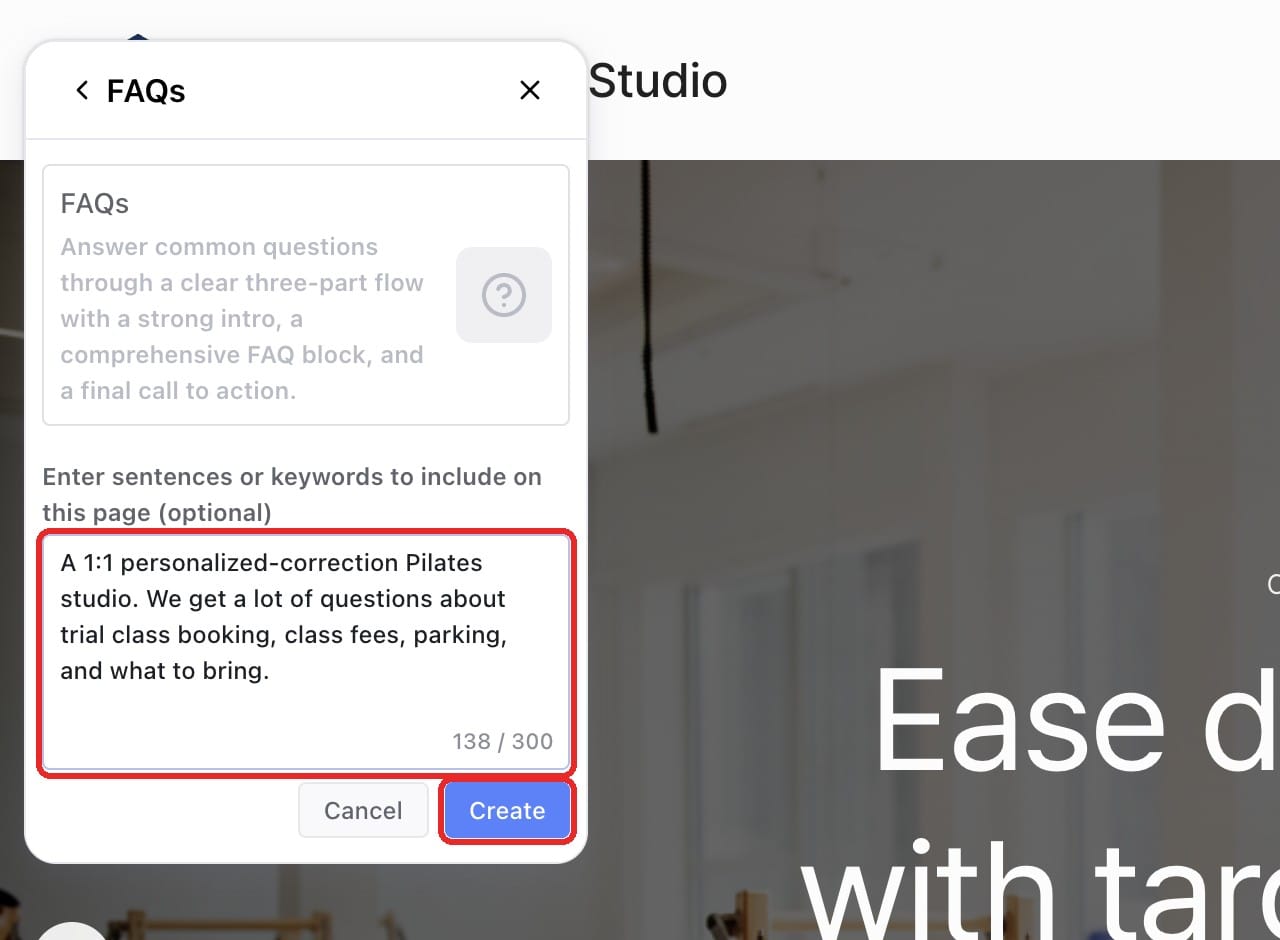
Type the sentences or keywords you want on the page into the prompt box, then click [Create].
(Example) "A 1:1 personalized-correction Pilates studio. We get a lot of questions about trial class booking, class fees, parking, and what to bring."
⑤ Check your finished page
Wait a moment, and your page will be ready with questions and answers filled in!
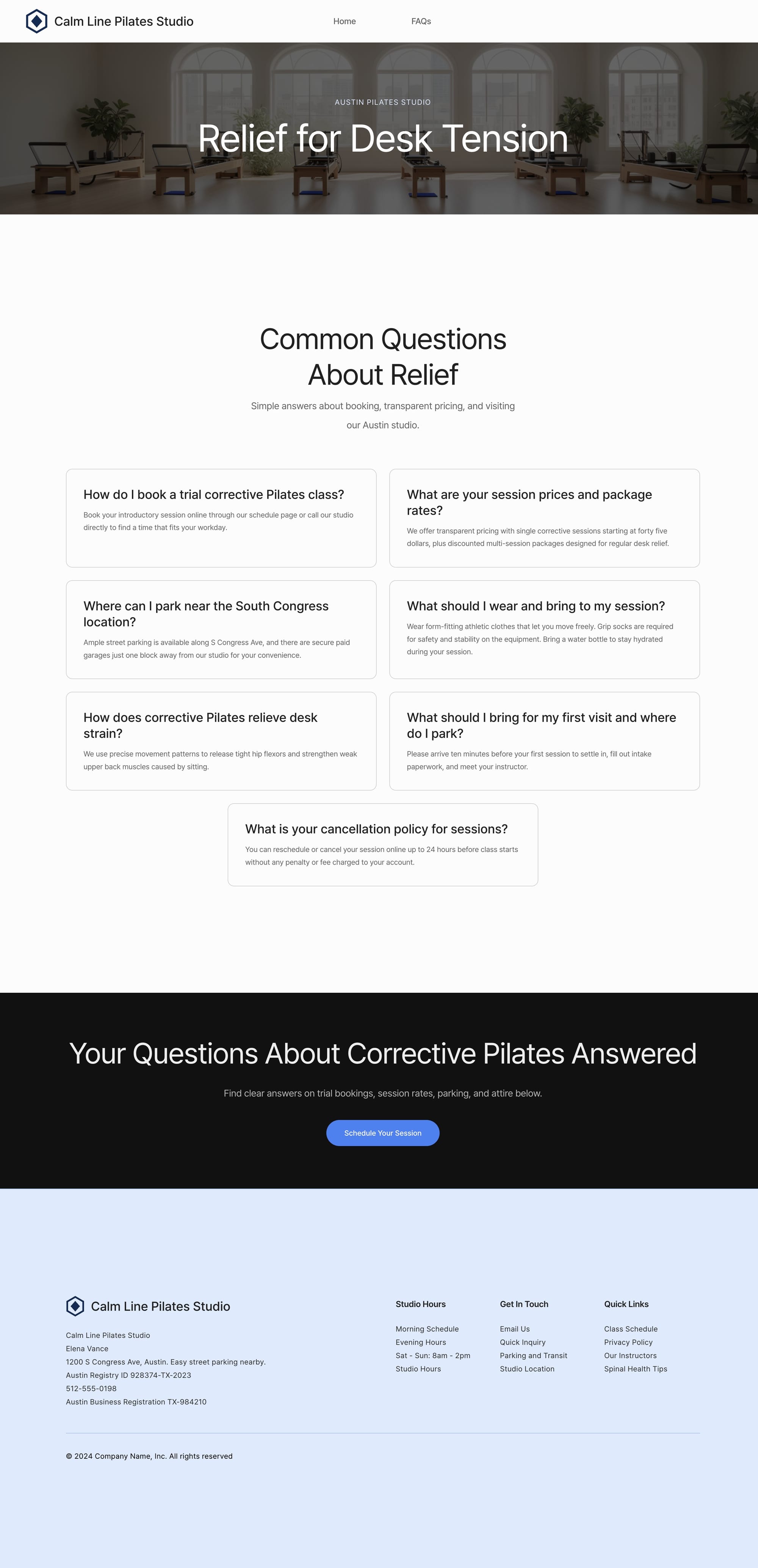
The trial class, class fees, parking, and what-to-bring items you entered all became questions. Details like prices and policies are filled in by AI, so delete any questions you don't need, check the answers against your real information, and edit them. Then you're done!
🎯 Who Is This For?
- You need a website but don't know where to start
- Writing the content for each page feels like a burden
- You want to create just the pages you need and open your website quickly
Your website doesn't have to be perfect from day one. Start with a single page today!


