Level Up Your Business Credibility with Nadoo.io’s Email Forwarding

As a customer, would you trust contact@gmail.com or hello@yourbrand.com? The latter immediately signals that you are an established, professional entity. Today, we’re showing you how to set up your own branded business email easily and affordably using Nadoo’s Email Forwarding service.
1. What is Email Forwarding?
In simple terms, email forwarding is a "delivery service" for your digital mail. It allows you to create a professional address using your custom domain (e.g., CEO@yourbrand.com).
Instead of managing a whole new inbox, any email sent to your brand address is automatically redirected to your personal inbox (like Gmail or Outlook). This means you can manage all your business inquiries from the interface you’re already comfortable with—no need to juggle multiple logins.
2. A Must-Have for Solo Entrepreneurs & Small Teams
Setting up a full suite like Google Workspace or Microsoft 365 can be pricey, often charging $6 to $15 per user, every month. When you're just starting out, these recurring costs add up quickly.
Nadoo’s Email Forwarding eliminates the need for expensive mail servers. It’s the most economical way to get your business email up and running in under a minute. Here are the three key benefits:
- Build Instant Trust: A custom domain email gives your business an immediate professional edge.
- Zero to Low Cost: Save on monthly subscription fees while your business is in the growth phase.
- Centralized Management: Even if you create multiple aliases (like
info@,support@, andsales@), you can manage them all from one single personal inbox.
3. Setting Up Your Custom Domain on Nadoo
If you’re using Nadoo, you’re just a few clicks away from a professional setup.
Step-by-Step Guide:
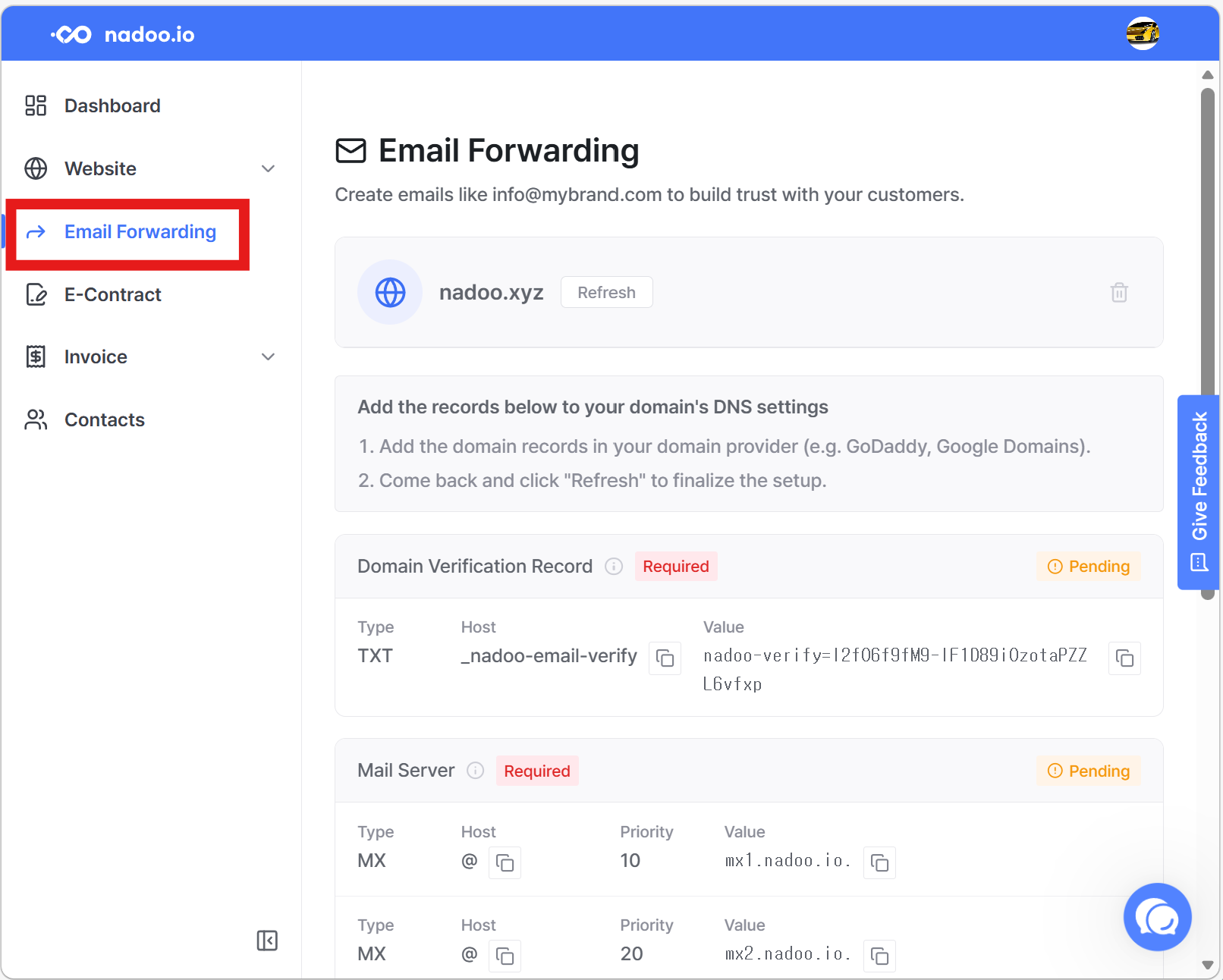
- Connect Your Domain: Log in to Nadoo, go to the [Email Forwarding] menu, and link your custom domain (e.g.,
nadoo.xyz). - Update DNS Records: Simply copy the record values provided in your Nadoo dashboard and paste them into your domain hosting service (like GoDaddy or Namecheap). Once updated, hit refresh in Nadoo.
- Create Your Alias: Choose your prefix—
info@,support@, orhello@. - Link Your Inbox: Enter your personal email address where you want to receive these messages.
That’s it! Now, whenever a client reaches out to your branded address, you’ll get an instant notification in your personal inbox.
Wrap Up
You don't need a massive budget to make your business look like a million bucks. Use Nadoo’s Email Forwarding to claim your professional identity today! You can try for free and decide whether to subscribe or not later! (no credit cards required).